
How to Set Up an Online Ordering System
Customers of the digital world are demanding convenience. As either a restaurant, cafe, grocery store, or cloud kitchen, it is no longer a choice to have an online ordering option, it is now a necessity. The knowledge of how to set up an online ordering system can assist you in selling more, doing less manual labor, and serving people more efficiently. In this blog, we will discuss how to do the entire process of setting up an online ordering system.
Why an Online Ordering System is Necessary
Online ordering will enable customers to visit your menu, order, and pay without calling or visiting your store. This helps to save time among customers and staff. It also minimizes order errors and makes it easy to cope with peak hours.
A lot of business ventures begin to install an online ordering system solution to remain competitive and to accommodate evolving customer behavior. With the appropriate arrangement, you will be able to expand without extra effort and work in your business. It is essential to find out why an online ordering system is necessary before knowing how to set up an online ordering system for restaurants or others.
Steps For Setting Up Online Ordering System
Step 1: Learn What Your Business Requires
The initial process to set up an online ordering system is to be confident in what you actually require and the goal for your business. Ask yourself
- Would you like delivery, pickup, or both?
- What is the total number of menu items?
- Do you require any special features, such as add ons or special instructions?
Categorical responses can assist you in avoiding redundant features and expenses when configuring online ordering system tools that actually work well in your operations.
Step 2: Select the Most Appropriate Platform
The selection of the appropriate platform is one of the major aspects of setting up an online ordering system. You are either free to build your own system or take a preexisting platform. Readymade solutions are cheaper and quicker to use in most cases with small and medium businesses.
When installing online ordering system software to start your business, it should be compatible with mobile devices, simple to operate, and offer convenient customer service.
Step 3: Design Your Online Menu
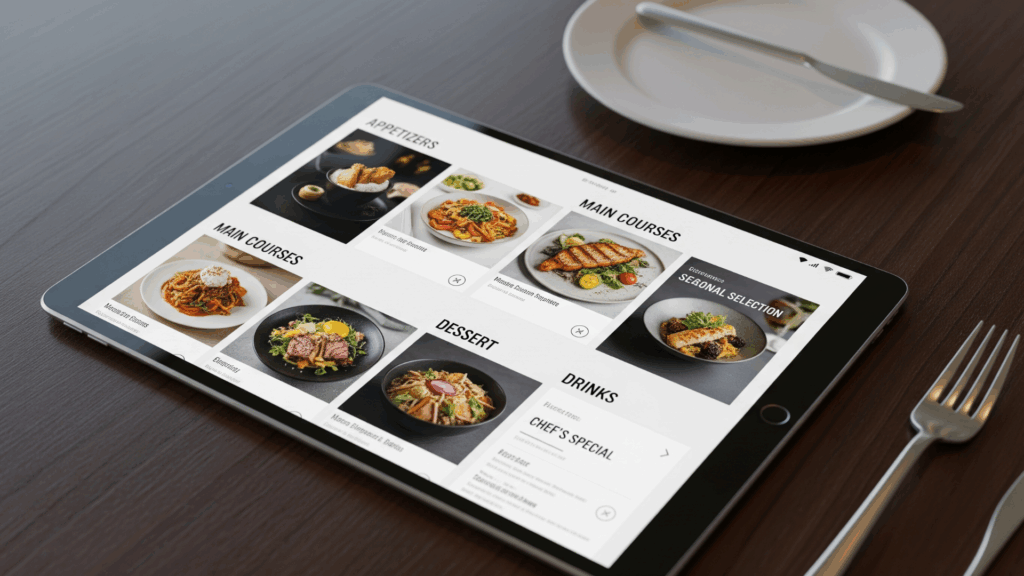
The core of the system is your menu. The other major process in how to set up an online ordering system is developing a transparent and enticing digital menu. Include:
- Item names and descriptions
- Prices
- Good pictures (where possible)
While setting up the menu, make sure that items are separated by their categories. This will help customers find the item faster.
Step 4: Establish Ordering and Payment
The success of the ordering and payment process is essential when learning how to set up an online ordering system. The clients are expected to be able to add things to their cart, examine their order, and check out easily.
You are supposed to have various payment options, including:
- Cash on delivery or pickup
- Digital wallets
- Debit or credit cards
Security is a consideration when setting up online ordering system payment. Select platforms with security of customer information and transactions.
Step 5: Delivery/Pickup Settings
The other critical process in how to set up an online ordering system is the process of determining the way orders reach customers. You can offer:
- Store pickup
- In house delivery
- Intelligent third party delivery
During the process to set up an online ordering system, delivery facilities, state boundaries, charges, and estimated durations of delivery are considered. This will not create confusion and will ensure customers are not dissatisfied.
Step 6: Pre Launch Testing of the System
It is not always considered, yet testing is essential in the way of setting up an online ordering system. Pre test before going live.
- Menu accuracy
- Payment flow
- Order notifications
- Confirmation messages to the customers.
Here, testing is vital to ensure that your established online ordering system functions well and eliminates inconveniences when actual orders are being made.
Step 7: Train Your Staff
However, the best system will not work well when your team is not familiar with it. One of the most important elements of the process of setting up an online ordering system is the training of the personnel to deny, prepare, and complete orders properly. If you are wondering how to set up an online ordering system, never forget to train your staff before they use the system in real life.
Demonstrate to them the appearance of orders, updating order status, and special requests. This contributes to the ease of establishing operations of the online ordering systems at the beginning.
Step 8: Advertise Your E-Ordering Ability
When all is in place, the last step in how to set up an online ordering system is to make the customers aware of the setup. Advertise your ordering link on:
- Social media
- In store posters
- Your website
Using an online ordering system persuades customers to use your set up system and increases your payback.
Conclusion
It does not need to be difficult to understand how to set up an online ordering system. With the right platform, having a clean menu, money transfers, and trained employees, you can get started successfully and expand your business more quickly by following the simple steps. Online ordering is not merely a trend, it is a brilliant business decision that will help you keep up with a digital first world. If you need any help to establish an online ordering system, GrubDirect will help you start your business quickly.
FAQS
What does an online ordering system mean?
An online ordering system enables the customer to make orders via a website or application without going to the business or calling the business.
Do I require technical skills to set up an online ordering system?
No, the majority of platforms are easy to use and aimed at anyone with no technical background.
Does online ordering make sense in small businesses?
It can be extremely useful to small businesses, yes, it saves time, decreases errors, and increases sales.
Does the online ordering system have a payment method too?
Yes, the majority of systems accept different payment methods such as digital wallets, cards, and cash on delivery or pickup.
Can I use the online ordering system on my phone?
Yes, because most of the online ordering system is made mobile friendly, which allows customers to place orders.